Every batch.
Every best-before date.
Inside Shopify.
ExpiryLot records lots and dates as goods arrive, ships the shortest date first, and tells you what is about to expire before it does.
In testing. Launch on the Shopify App Store is planned.
What ExpiryLot does
Built by a grocery merchant for the daily routine of receiving goods, packing orders and clearing out short-dated stock.
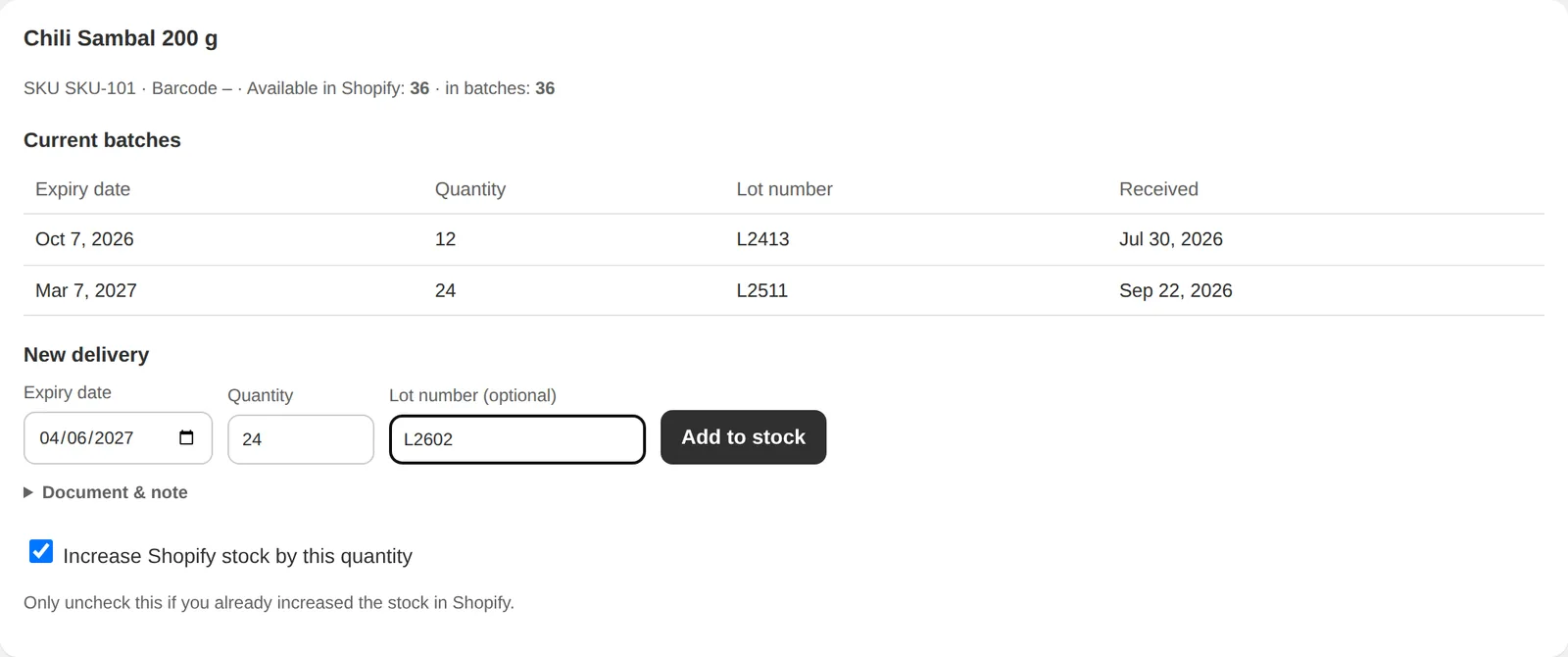
Receiving stock
Batches with date, quantity, lot number, receipt and note per variant.
- Upload the delivery note, doneOne upload books every line of a delivery with its best-before date. No typing item by item.
- Find the variant fastSearch by name, SKU or barcode. A barcode scanner works too.
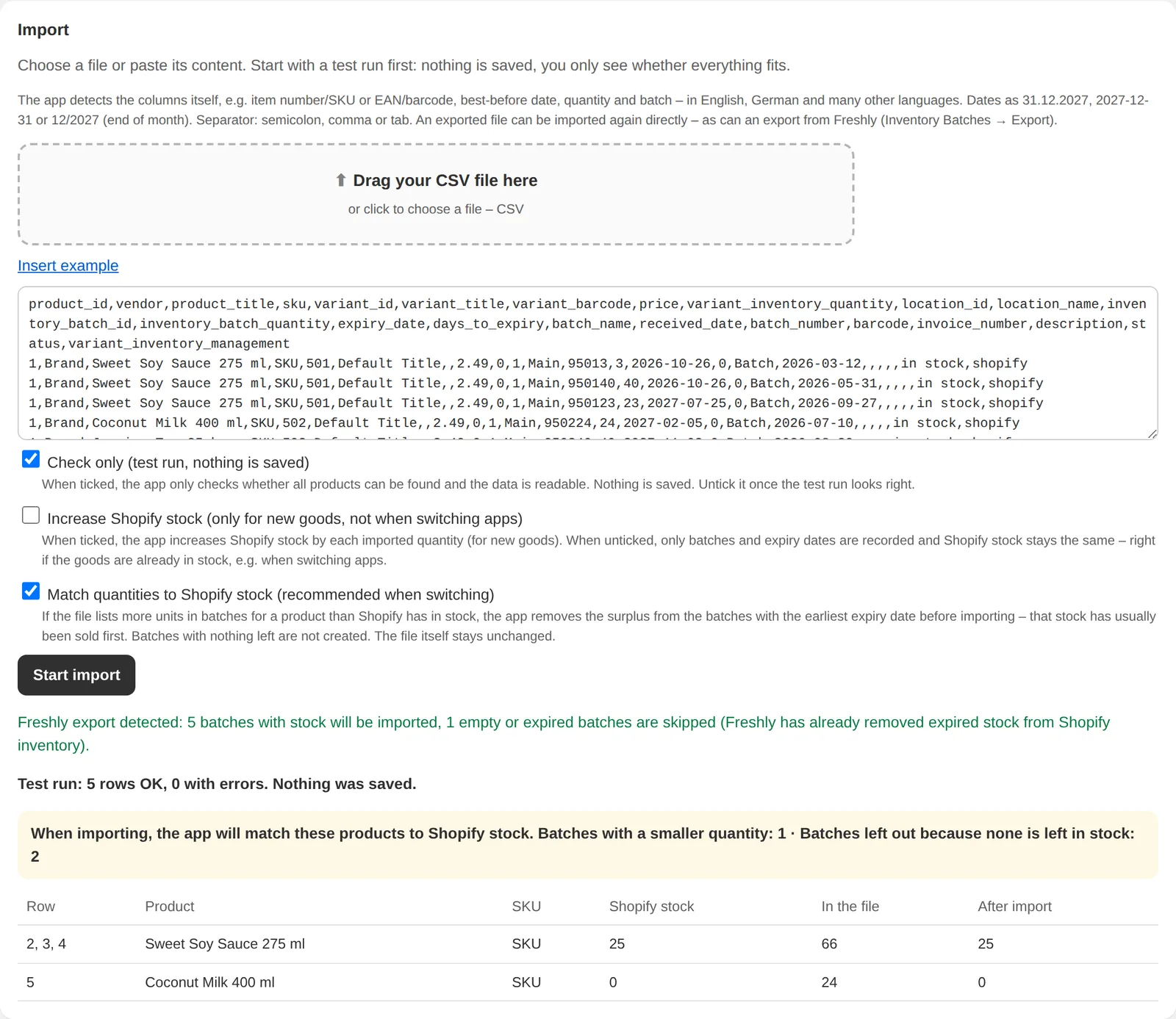
- Import a CSVColumns are detected automatically. Works with the export from Freshly, so switching is a file upload.
- Adjust Shopify stock on importOne option decides whether imported quantities also update your Shopify inventory.
Orders
Which lot leaves the warehouse is decided automatically.
- Shortest date firstEach order line is assigned by FEFO: the lot with the nearest best-before date goes out first.
- FIFO where it fitsTag a product and its lots are assigned in the order they arrived instead.
- Several locationsLots are tracked per location, with transfers between them.
Expiry overview
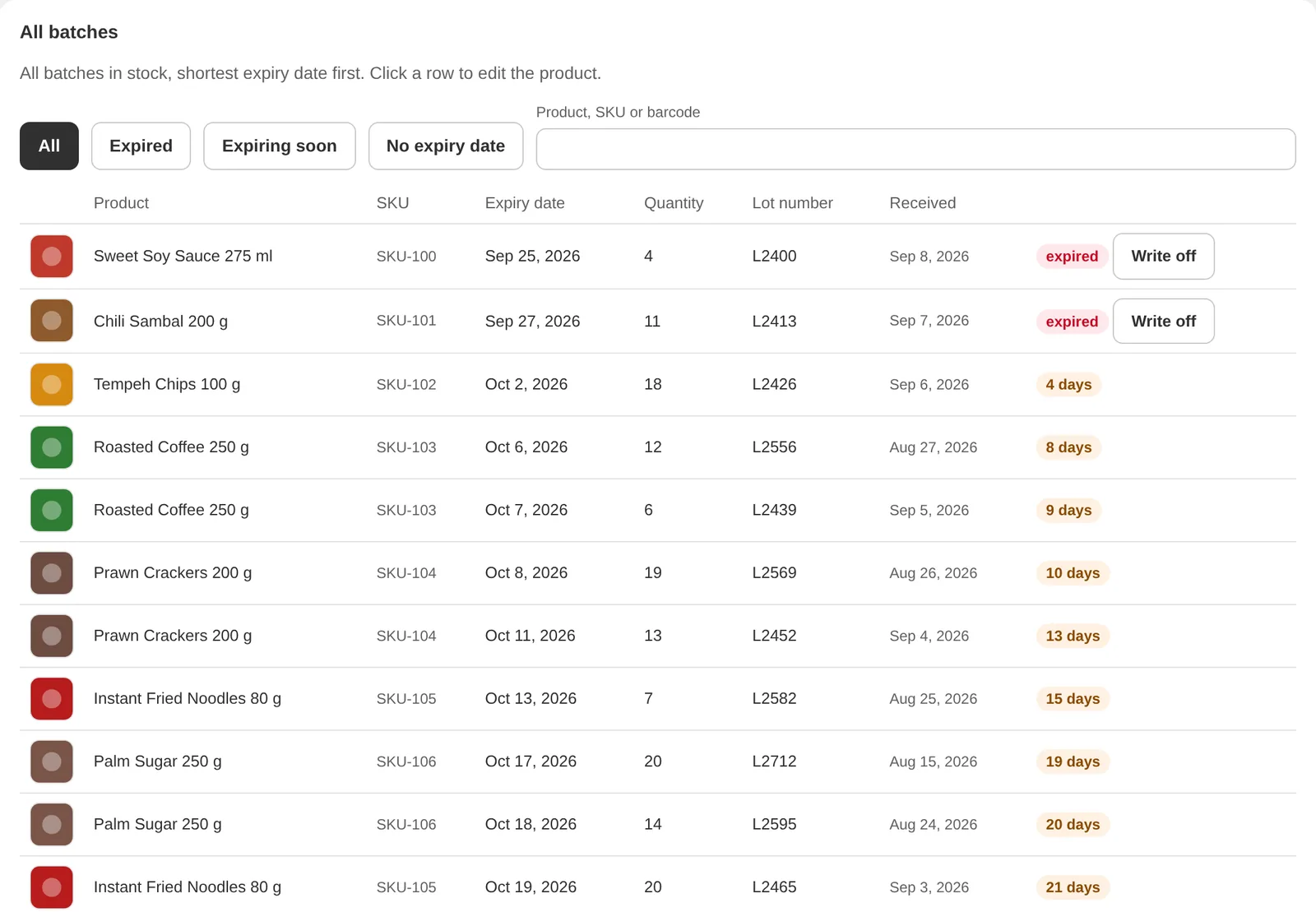
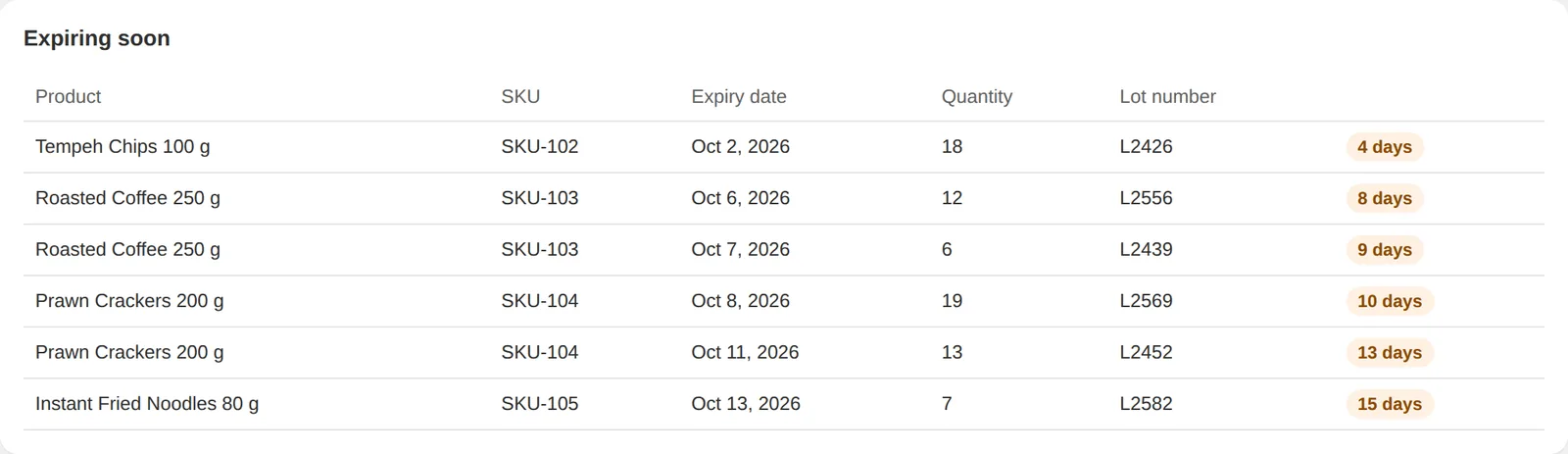
Expired, expiring soon, and everything without a date.
- Three lists, one screenSee what has expired, what is about to, and which lots still have no date.
- Write off with one clickOr let ExpiryLot write lots off automatically, before or after the date.
- Use-by tagMark products whose date is a use-by date rather than a best-before date.
Discounts
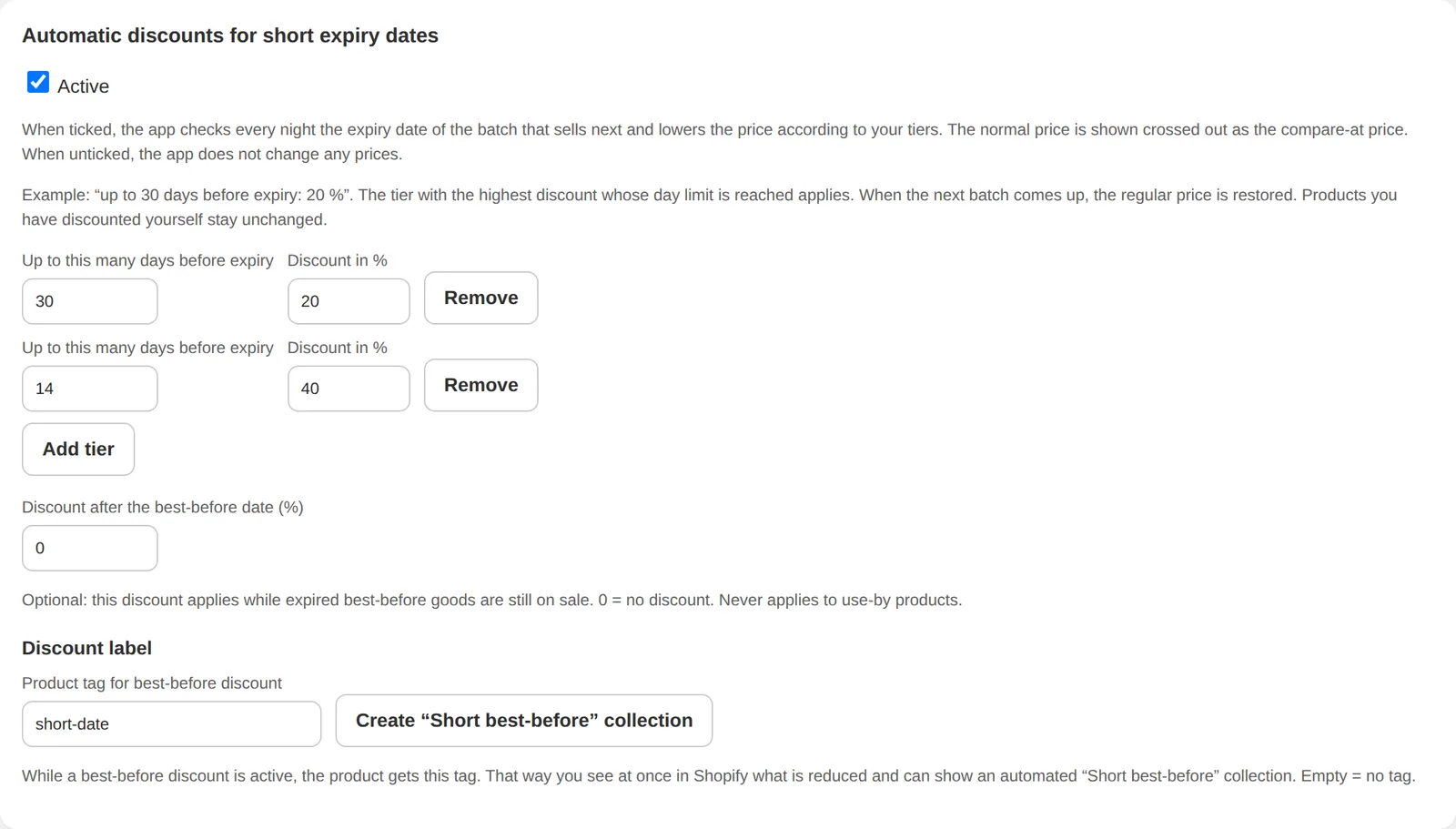
Short-dated stock sells itself down.
- Automatic discount tiersSet tiers by remaining days. ExpiryLot checks every night and applies the right one.
- Discount tag and collectionDiscounted products get a tag and land in a “Short best-before” collection you can show in your shop.
- Sold-out items to the endSold-out products move to the end of your collections.
Email digest
Daily or weekly.
- Turn it on, doneA summary of expired and expiring lots arrives by email, daily or weekly. No workflow setup.
Packing and the order page
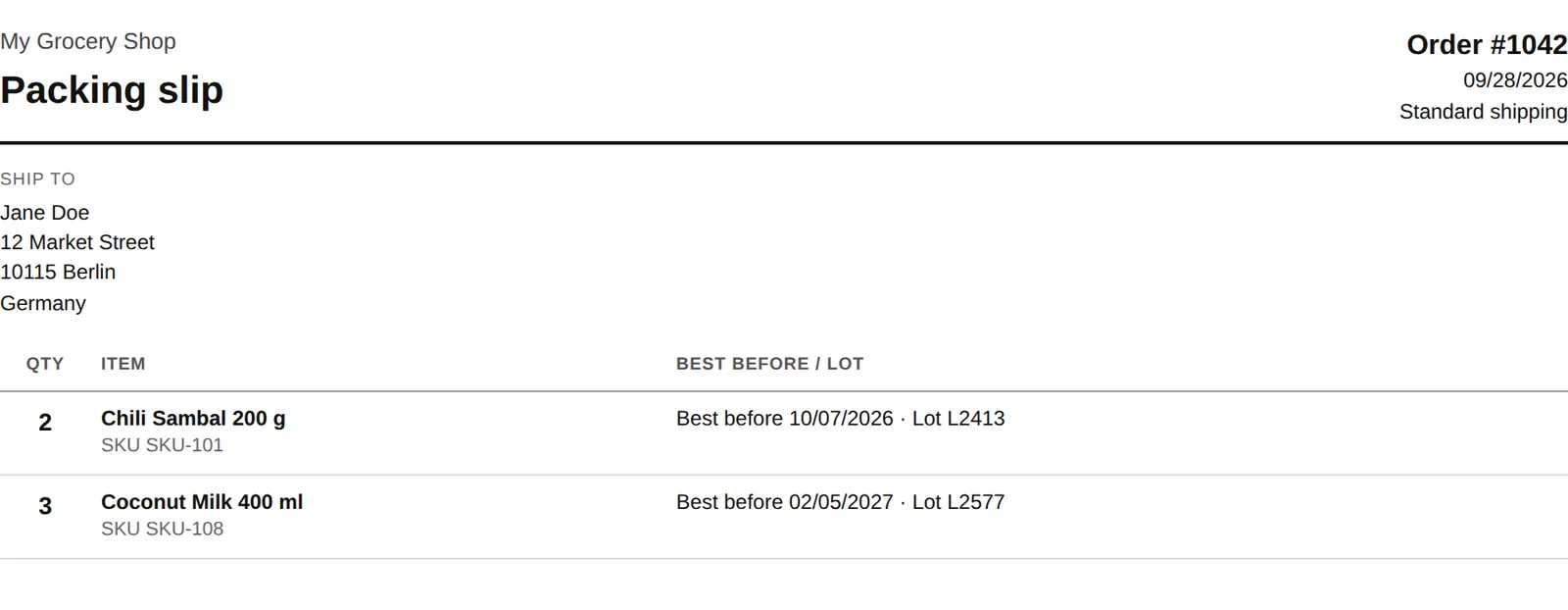
The lot that ships is written down where you pack.
- Packing slips with date and lotPrint one order or several at once.
- Batches on the order pageA “Batches & best-before” block in the Shopify order shows which lots were assigned.
Traceability
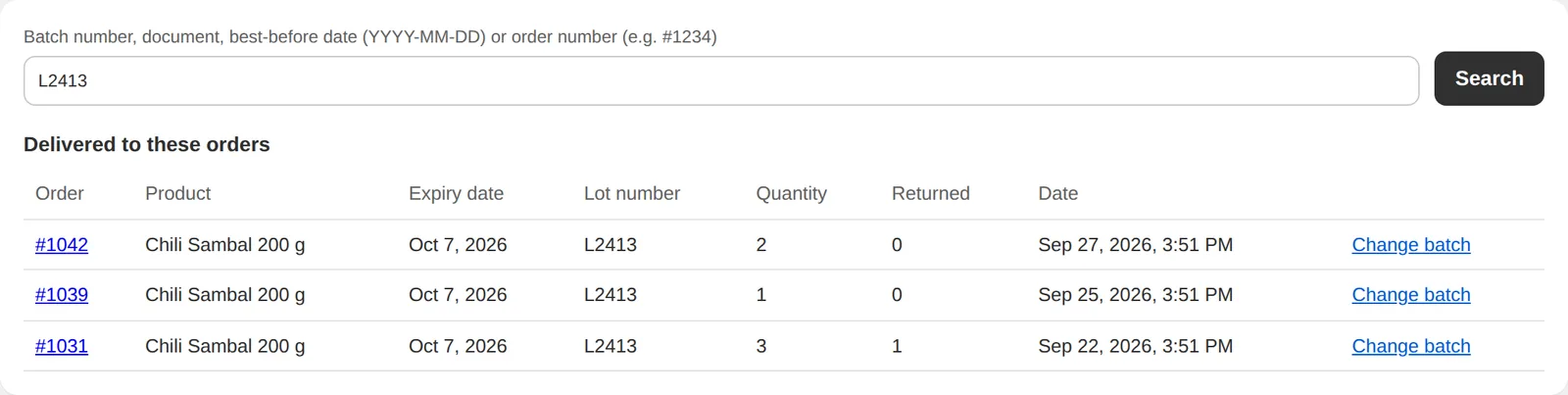
For recalls and questions from customers.
- Search any way roundBy lot, receipt, best-before date or order. See which orders got which lot.
- Export as CSVHand the result to a supplier or authority.
Reports
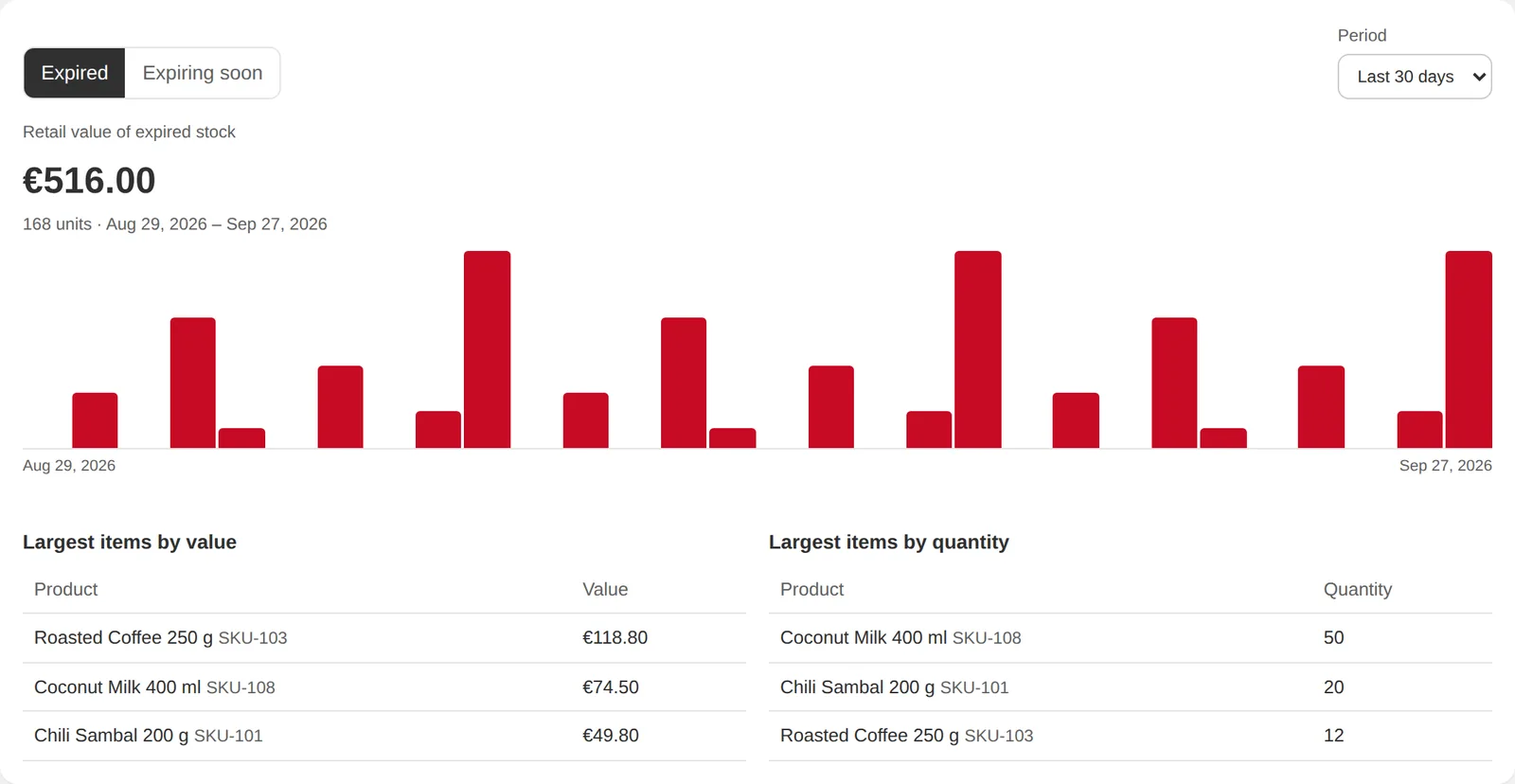
What expiry costs you.
- Value of expired and expiring stockCalculated from the lots on record.
- Top itemsWhich products account for most of it.
Your storefront
Show the date where customers decide.
- “Expiry date” theme blockAdd it to the product page in your theme editor. It shows the best-before date of the lot on sale.
Testing mode
Run ExpiryLot alongside the app you use today. In testing mode you can use every feature, and nothing in your shop changes: no stock, no prices, no collection order.
Switch it off when you are ready.
36languages
The whole interface, in the language your team works in.
How you start
- Install and choose testing modeNothing in your shop changes until you say so.
- Bring your lots inUpload a delivery note or a CSV, or book them one by one with the scanner.
- Switch on what you needAutomatic assignment, discounts, write-offs, the email digest.
A walk-through of the first setup, from install to the first packing slip.
ExpiryLot in half a minute.
Pricing
Pricing will be announced with the App Store launch. Every plan starts with a 14-day free trial.